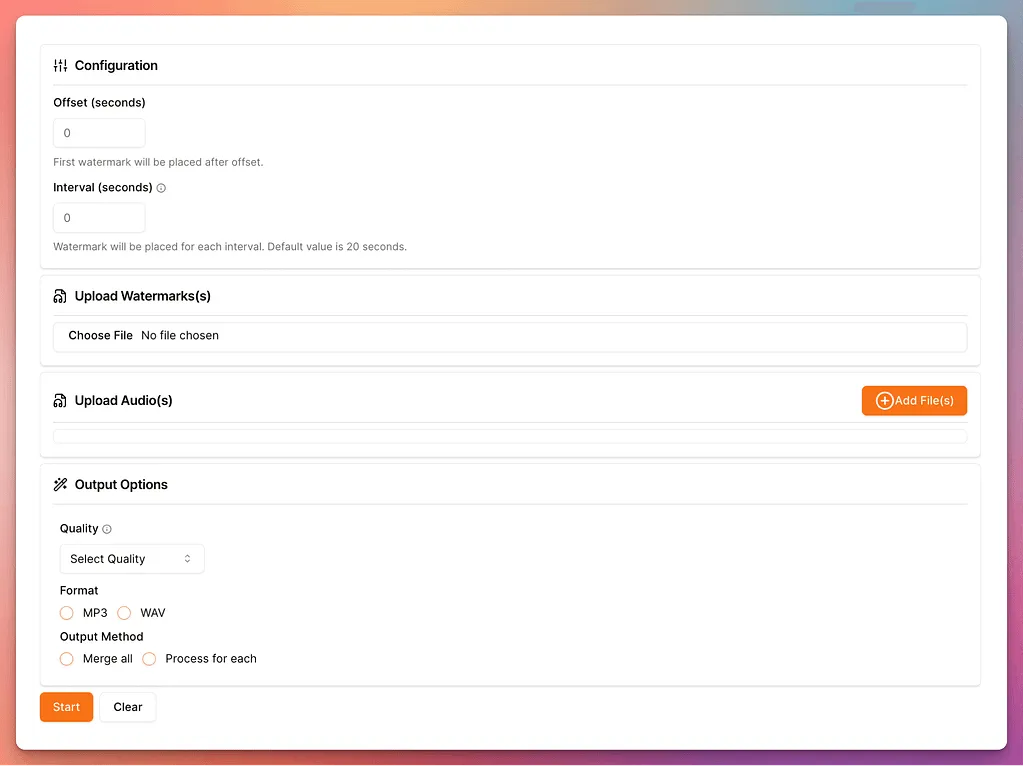
How I Built a Watermark Tool Using FFmpeg
I needed to add audio watermarks for a client project. After looking around, I noticed plenty of tools existed for images, videos, and PDFs, but almost nothing dedicated to audio files.
So I decided to build it.
The Power of FFmpeg
FFmpeg is an indispensable superpower in systems engineering. Whether extracting audio streams, mixing multitrack signals, generating GIFs, or transcode pipelines — it handles virtually anything multimedia.
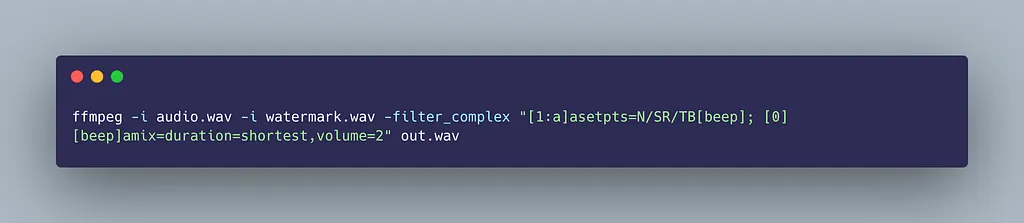
The first question was: Can FFmpeg mix two audio streams with dynamic intervals and offsets?
ffmpeg -i input.mp3 -i watermark.mp3 -filter_complex "[0:a][1:a]amix=inputs=2:duration=first" output.mp3Within two seconds, the watermark was cleanly mixed into the audio.
Dynamic Watermarking Logic
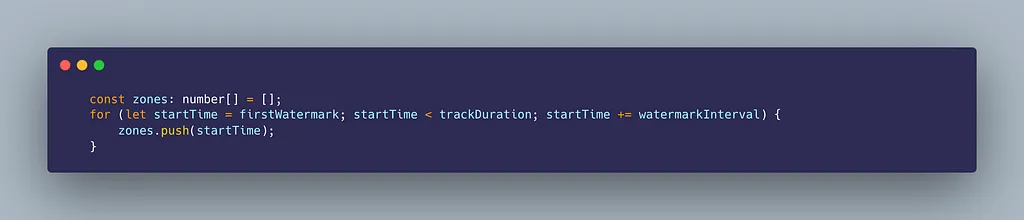
Dynamic watermarking means:
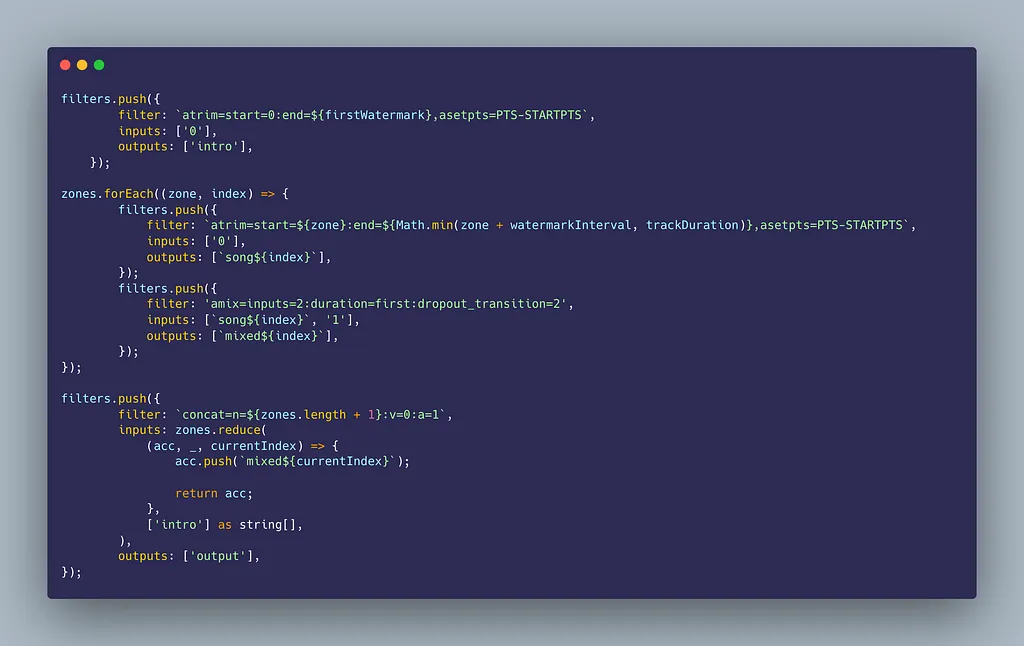
- Add T seconds initial offset after playback starts.
- Repeat the watermark every N seconds across the entire duration.
To achieve this cleanly, the audio is split into distinct time zones and filter chains:
Serverless Architecture on AWS
Initially, I tested running the worker inside AWS Lambda. However, long-running audio files and stream memory limits proved tricky.
I switched the background processing to AWS Fargate:
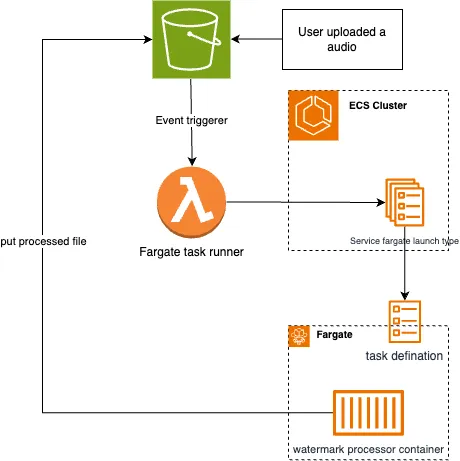
- Client uploads audio and watermark configuration to an Amazon S3 bucket.
- S3 trigger invokes a lightweight Lambda dispatcher.
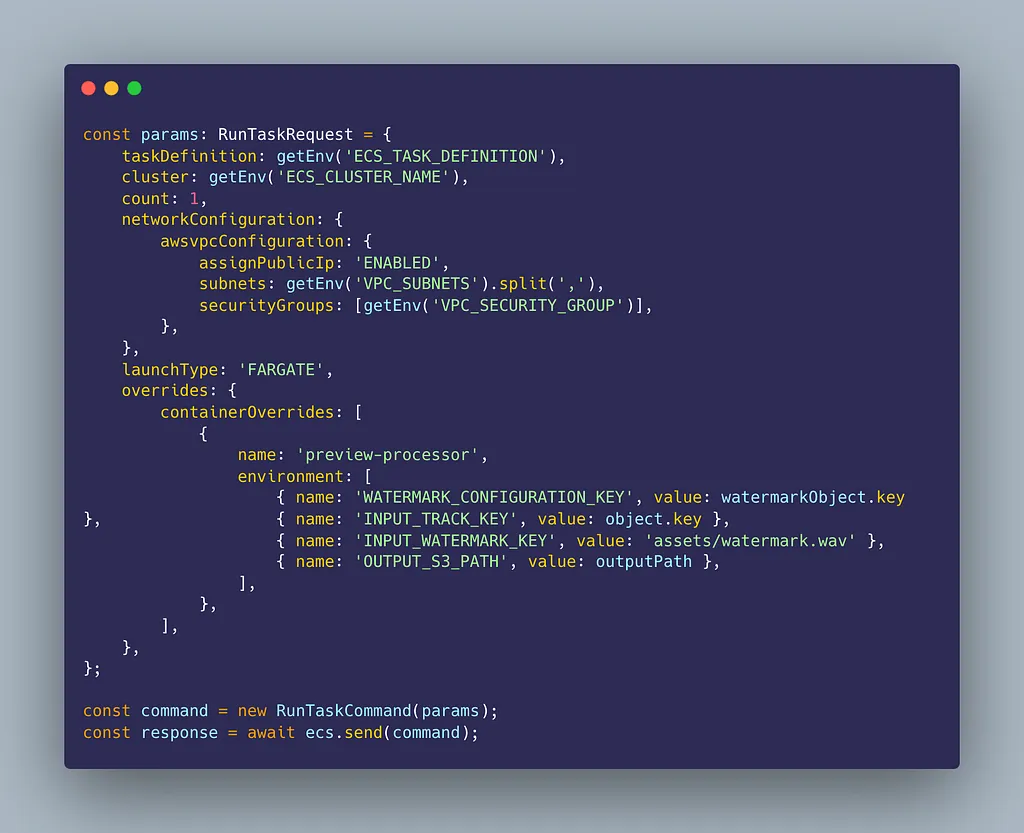
- Lambda launches an on-demand ECS Fargate task running our custom Docker image with compiled FFmpeg binaries.
- Processed file is stored in S3 with a presigned download URL.
Moving to WebAssembly (Client-Side)
While the Fargate architecture scaled effortlessly, server processing requires handling file transfers, privacy concerns, and compute costs.
Thanks to WebAssembly via ffmpeg.wasm, the entire watermarking pipeline was ported to run directly in the user’s browser.
- Zero server upload latency: Audio and video files never leave the user’s machine.
- $0 compute bills: The user’s CPU handles transcoding via WebAssembly worker threads.
- Privacy by default: Complete end-to-end client-side media manipulation.
This evolved into Watermark.run — supporting both audio and video watermarking in the browser and cloud.